Štítek: tumblr

image

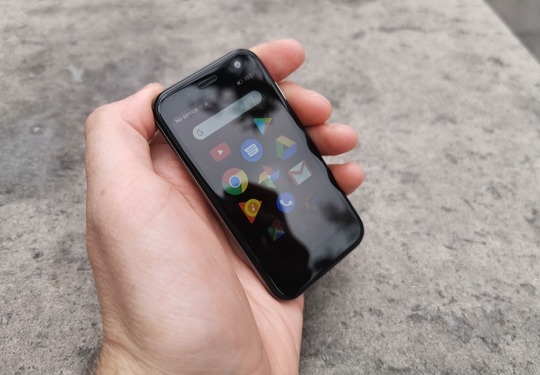
The Inquirer has released a review of stand-alone Palm and they all like it. But as far as I am concerned, there is something strange in the review:

In terms of storage, the Palm Phone and 32GB of internal storage and also microSD card slot, expandable to 256GB, which is quite impressive for this device. It's powered up via USB-C and includes all Bluetooth connectivity options such as Bluetooth and WiFi.

I don't know, but I wouldn't put the microSD card in there instead of nano sim. There is no way elsewhere!
Číst dál
image

The Inquirer vydal recenzi na stand-alone Palm a celkem se jim líbí. Co se ale mě týče, je v té recenzi přeci jen něco divného:

In terms of storage, the Palm Phone has a 32GB of internal storage and also a microSD card slot, expandable up to 256GB, which is quite impressive for a device of this size. It's charged up via USB-C and includes all the bog standard connectivity options such as Bluetooth and WiFi.

Nevím, ale fakt bych tam místo nanosim tu microSD kartu nedával. Nikam jinam se totiž zasunout nedá!

Číst dál
🌴

⚠️ Just wanted to remind y'all Verizon’s promotion for Palm ($150 off) is ending May 1, so this is your last chance to grab this deal.https://t.co/1n0UTK5goZ pic.twitter.com/m5P88KLL6o

— Palm (@palm)

April 30, 2019

Jak si pořídit Palm?

Líbí se vám Palm a rádi byste si jej pořídili, ale nevíte jak na to? Nechci vám radit, že jednoduše stačí zaletět si pro něj do Států, ani vás nebudu posílat do Londýna nebo jinam. Je samozřejmě možné vydat se pro váš Palm do Německa, což je nejbližší země, kde se Palm prodává, ale nedoporučuji to hned ze tří důvodů:

musíte do opravdu velkého města (Drážďany nejsou velké město)

Palm v prodejně bývá pouze demo a musí ho pro vás objednat a termín doručení je cca 2 dny

cena Palmu v prodejně je 399 EUR (o 35 EUR vyšší než mnou popsaný způsob)

Můj návod je realizovatelný přímo z vašeho domova bez toho, abyste museli někam jít nebo snad dokonce i jet. A jak na to?

Zaregistrujte se zdarma na webu McPošta.cz, což je jedna z klonů Shipito pro Německo. Registrací získáte německou doručovací adresu a také možnost využití jedné služby, kterou ostatní podobné služby v Německu nenabízejí - asistovaný nákup a dobírka.

Kontaktujte mailem podporu a sdělte jim, že potřebujete asistovaný nákup na dobírku pro nákup Palmu bez tarifu u Vodafonu DE (359,99 EUR + 4,19 EUR poštovného) z tohoto odkazu. Podpora vám sdělí přesnou částku (cca 9843,- Kč za telefon + 100,- Kč za dobírku) a číslo účtu, kam ji zaslat a pokud zašlete i potvrzení o převodu, ještě ten den mohou váš Palm objednat.

Pak už jen stačí počkat 1-2 pracovní dny a německé DHL doručí váš Palm do McPošty, a pokud nebudete čekat na více zásilek, můžete si nechat Palm poslat přímo domů za běžné ceny od 60 do 90 Kč.

Obdobně lze postupovat i při nákupu Palmu z USA, musíte ale počítat s tím, že vám jej velmi pravděpodobně zadrží celníci a budete muset zaplatit clo a dph.

Aktualizováno 3.10.2019: Nákup ve Státech nedoporučuji kvůli jiným frekvenčním pásmům u americké verze!

Tak co, půjdete do toho a pořídíte si Palm?

Číst dál

When you really really want Palm phone...

久しぶりに自家製モックアップを作ってみた。
たーのーしーみー#palmphone pic.twitter.com/Qn1hcG9bPq

— tmacoto (@tmacoto)

April 22, 2019

Když chceš Palm moc moc moc...

久しぶりに自家製モックアップを作ってみた。
たーのーしーみー#palmphone pic.twitter.com/Qn1hcG9bPq

— tmacoto (@tmacoto) April 22, 2019

What it has done for me personally is I’ve gone in and gutted the number of notifications, because I asked myself: ‘Do I really need to be getting thousands of notifications a day?’ It’s not something that is adding value to my life, or is making me a better person. And so I went in and chopped that.

Every time you pick up your phone, it means you’re taking your eyes off whoever you’re dealing with, are talking with, right? And if you’re looking at your phone more than you’re looking at somebody else’s eyes, you’re doing the wrong thing.

We want to educate people on what they’re doing. This thing will improve through time, just like everything else that we do. We’ll innovate there as we do in other areas.

But basically, we don’t want people using their phones all the time. This has never been an objective for us.

https://techcrunch.com/2019/04/23/tim-cook-wants-you-to-put-down-your-iphone/

Číst dál
What it has done for me personally is I’ve gone in and gutted the number of notifications, because I asked myself: ‘Do I really need to be getting thousands of notifications a day?’ It’s not something that is adding value to my life, or is making me a better person. And so I went in and chopped that.

Every time you pick up your phone, it means you’re taking your eyes off whoever you’re dealing with, are talking with, right? And if you’re looking at your phone more than you’re looking at somebody else’s eyes, you’re doing the wrong thing.

We want to educate people on what they’re doing. This thing will improve through time, just like everything else that we do. We’ll innovate there as we do in other areas.

But basically, we don’t want people using their phones all the time. This has never been an objective for us.

https://techcrunch.com/2019/04/23/tim-cook-wants-you-to-put-down-your-iphone/

Číst dál

iMessage on Palm?

image

Every iPhone user will confirm that it is essential for him to have his new phone work with iMessage. Apple’s native messaging is very addictive, and many users refuse to install the 2nd, 3rd, or 4th messaging apps all the more because they all look and all do what native iMessage does.

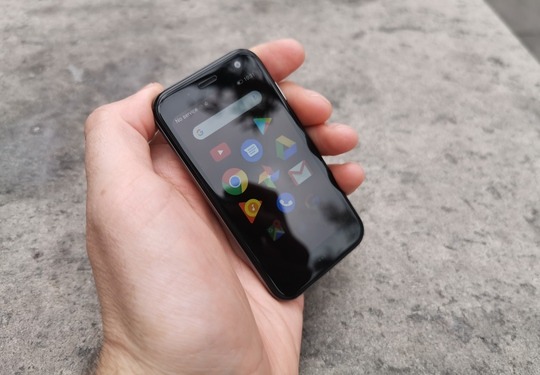
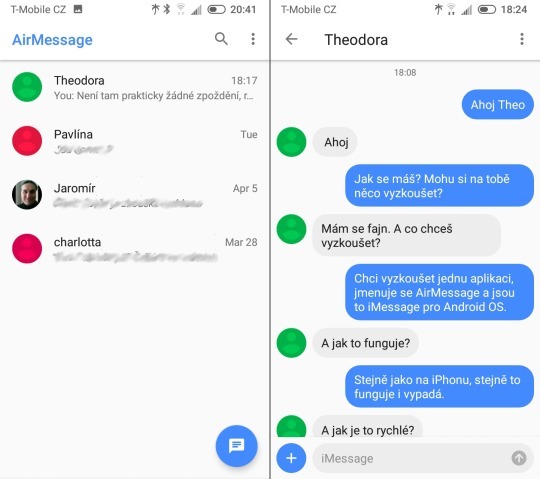
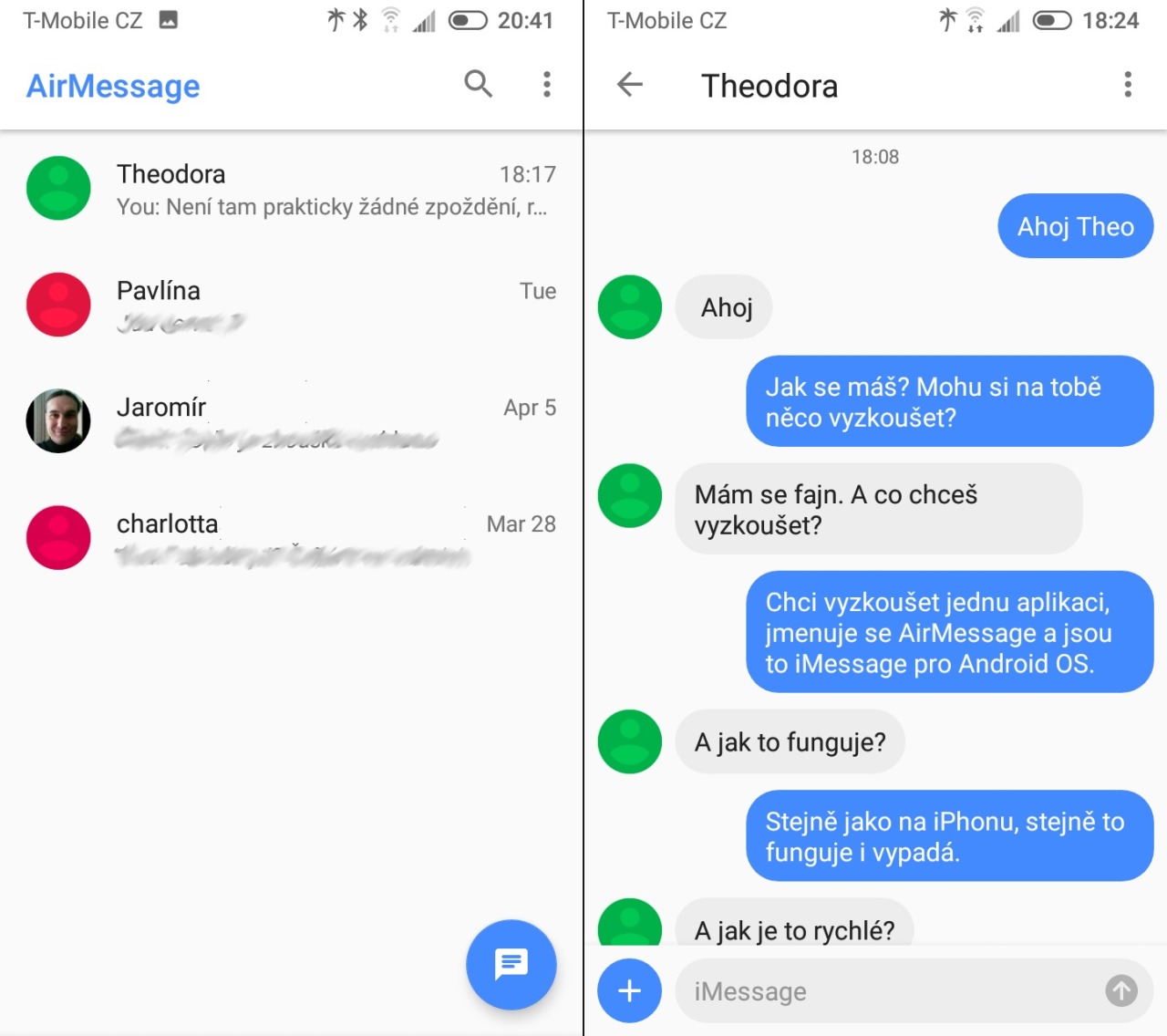
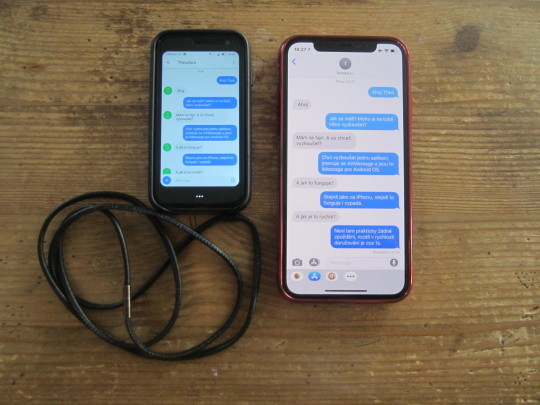
For use Palm with the Android operating system as a leisure phone, it would be nice to install iMessage, but unfortunately, this is not possible because Apple iMessage did not release for Android. But it is possible to use AirMessage, which will deliver iMessage messages to Android.

image

But it’s not one application you install on Palm, and there’s more to do. AirMessage takes advantage of iMessage running on Macs, so you install an AirMessage server on your Mac that will redirect incoming iMessage messages to your Palm app and send messages from Palm to iMessage.

The installation is not complicated and consists in dragging the downloaded app to Applications, launching, setting the password, port, and frequency of message updates, and enabling access to iMessage files. Then just set the port forwarding on your router, install the application to Palm, enter the address and password, and voila, you have iMessage on Palm… d8-D

There are a very detailed tutorial and video on the application site, including how to install the server, dynamic DNS record settings, etc. But you do not have to worry about it. I managed the whole installation and setup in about 10 minutes.

[YT Video]

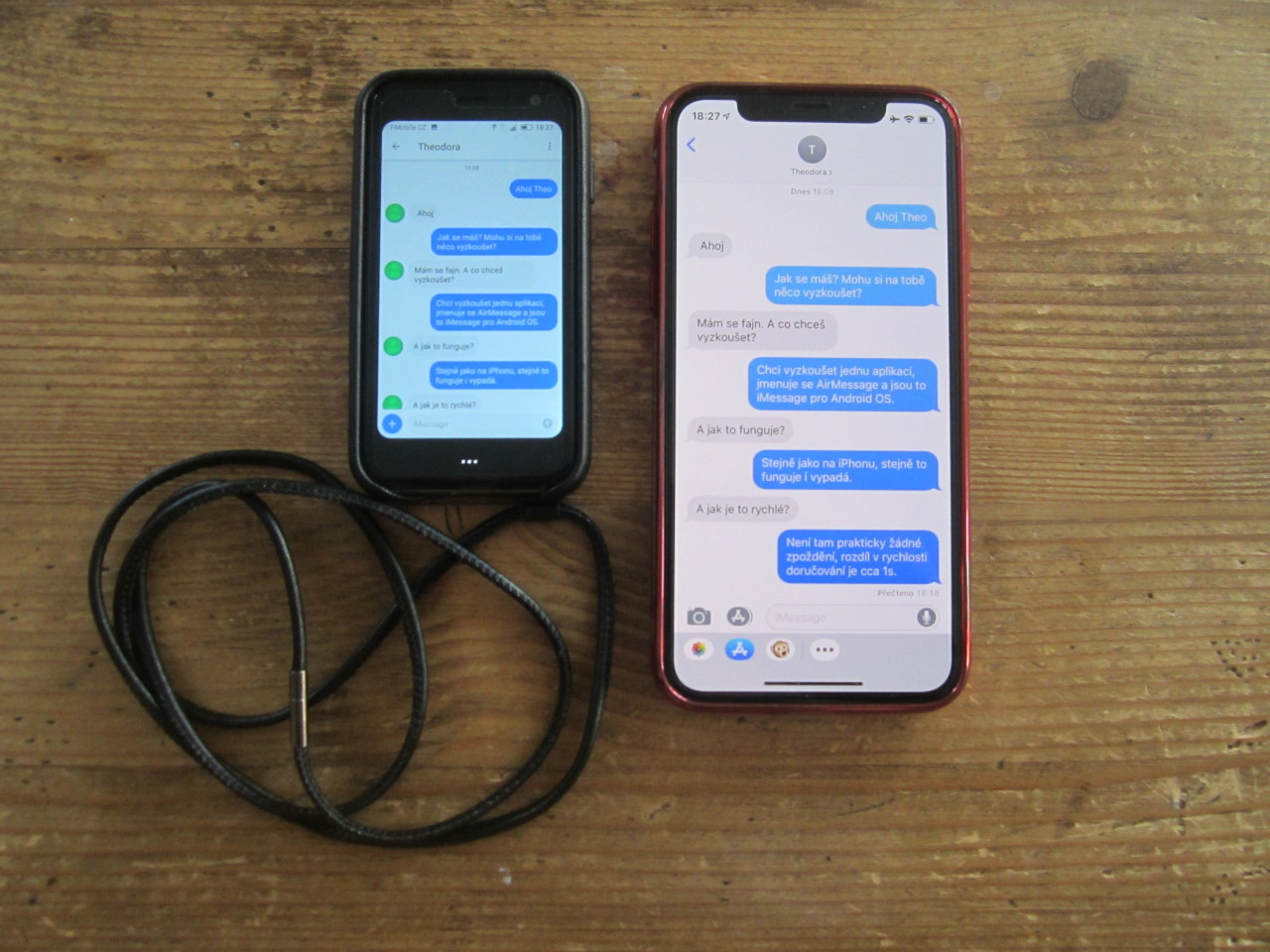
Nothing happened in the application after the installation, but when I opened the chat with someone from iMessage, it downloaded and displayed the entire communications history, and then everything worked as expected, so there’s no reason not to recommend AirMessage.

Číst dál

iMessage na Palmu?

image

Každý uživatel iPhonu vám potvrdí, že je pro něj velmi zásadní, aby jeho nový telefon pracoval s iMessage. Nativní messaging od Applu je velmi návykový a mnoho uživatelů prostě odmítá instalovat si 2., 3. nebo 4. messaging aplikaci tím spíš, že všechny vypadají a všechny dělají to, co nativní iMessage.

Pro použití Palmu s operačním systémem Android jako volnočasového telefonu by bylo fajn nainstalovat si iMessage, ale to bohužel není možné, protože Apple iMessage pro Android nevydal. Je ale možné využít aplikaci AirMessage, která vám doručí iMessage zprávy i na Android.

Nejde ale o jednu aplikaci, kterou si nainstalujete na Palm a je hotovo, je toho potřeba více. AirMessage využívá toho, že iMessage běží i na počítačích Mac a tak si na svůj Mac nainstalujete AirMessage server, který bude přesměrovávat příchozí iMessage zprávy do aplikace v Palmu a zajišťovat odesílání zpráv z Palmu do iMessage.

Instalace není nijak složitá a spočívá v přetažení stažené apky do Aplikací, spuštění, v nastavení hesla, portu a frekvence aktualizace zpráv, a v povolení přístupu k iMessage souborům. Pak už jen nastavit port forwarding na vašem routeru, nainstalovat aplikaci do Palmu, zadat adresu a heslo, a voila, máte iMessage na Palmu...d8-D

Na stránkách aplikace je velmi podrobný návod i video, jak server nainstalovat včetně vychytávek typu nastavení dynamického DNS záznamu apod. ale nemusíte se toho bát, celou instalaci a nastavení jsem zvládl cca za 10 minut.

[YT Video]

Po instalaci se v aplikaci v Palmu nic nedělo, ale v okamžiku, kdy jsem otevřel chat s někým z iMessage, stáhla a zobrazila se celá historie komunikace a vše poté fungovalo dle očekávání, takže není důvod vám AirMessage nedoporučit.

Číst dál